PowerCard

Intuitive Project Management for Mac OSX.

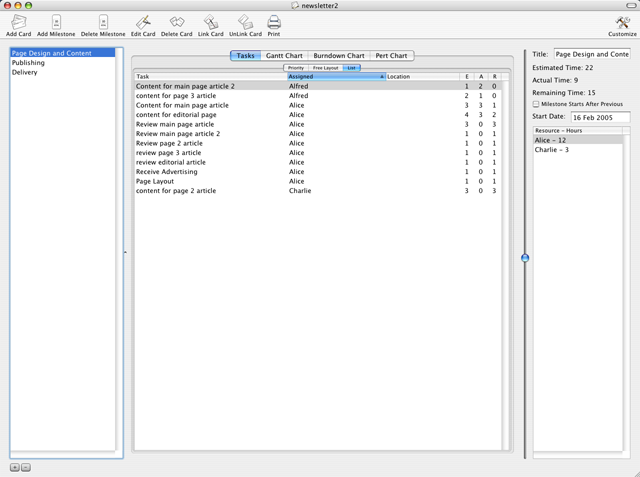
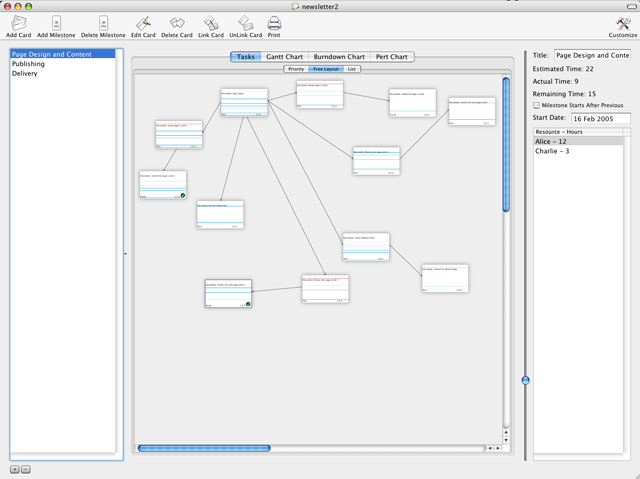
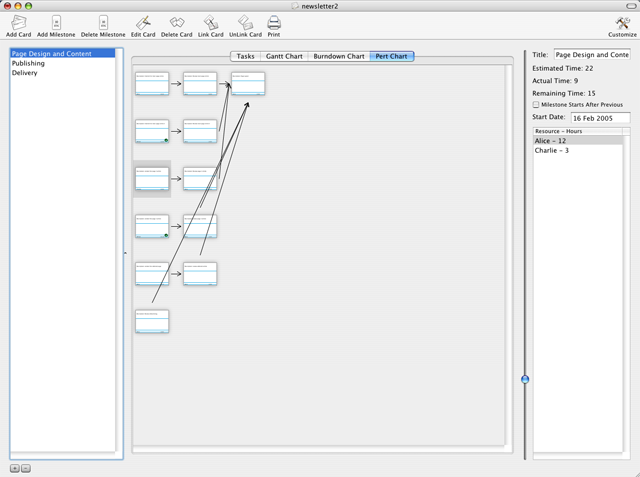
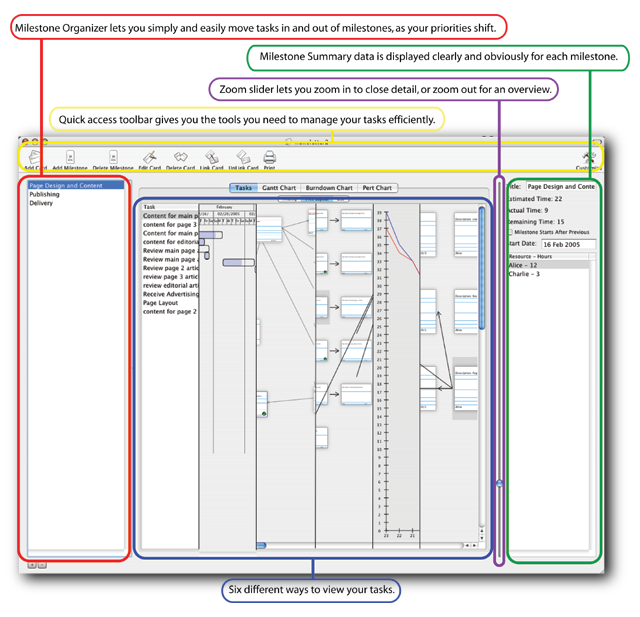
PowerCard Main screen Screenshot

Stop Working 60 hours a Week!

Your project is late. Your estimates have been blown. You're losing money as you lose ground to the competition. You haven't seen your kids in so long that you don't remember what they look like.

It doesn't have to be this way! Project management can be painless, intuitive, and - dare we even say it - fun!

PowerCard is Different

PowerCard is new, but it uses principles established in project management for years. PowerCard uses an innovative and intuitive "task card" based interface where you create index cards that represent the tasks you need to accomplish and slide them around to organize them into priorities and milestones.

This sort of organizational methodology has been in use for years by Project Managers who carried index cards around in their pockets. But PowerCard is the first application for the Macintosh to bring the power of these index cards to software.

All it takes is 5 steps

Using PowerCard's easy-to-use interface, you can have your project under control and being managed in just 5 easy steps. That means 5 steps to getting your estimates under control. 5 steps to get you back into a reasonable work week. 5 steps to rock-hard abs! Well, ok, maybe not that last bit. But really, just click here and you'll see how easy it is.

Tracking Projects Has Never Been This Intuitive


"You have really distilled the process of project tracking down to it's essence! The interface is beautiful!"


"I hate MS project, its too cumbersome. This program really hits the nail on the head. I am disappointed I only found it recently. I highly recommend this to anyone who is serious about keeping track of any type of project. Truly innovative IMHO. Hats off to the development team!"

- MacUpdate


Using index cards to track projects really helps to get your team focused on getting things done. PowerCard extends the card metaphor to enable you to:

  • Deal with distributed teams.
  • Cards don't get lost floating around the office.
  • Share project progress with the rest of the company.
  • Generate reports and track the accuracy of your estimates.

PowerCard solves all of these problems. Furthermore, PowerCard empowers you to achieve more in your projects. It helps you recognize where your project can better utilize it's resources to streamline your timeline.


See PowerCard at Work


Not Just For Extreme Programmers

In recent years, Extreme Programming has made use of index cards to track projects. It's not surprising that using this method has helped deliver their projects much more efficiently, but using cards to track projects isn't just for XP projects. You can use them for anything. Stories abound of people who have used the metaphor to organize conferences, marketing projects, websites, or even moving across the country.

Deliver your projects ON TIME without killing yourself!

PowerCard bases your project plan on detailed and structured measurements and analysis. By following our 5 steps to track your project, you'll see that it enables you to focus first on the small parts, and then PowerCard takes your small peices and adds them up to show you the big picture. Using the pert chart view, you can then find which tasks can be done in parallel, and, by assigning different resources to the tasks that make the biggest difference, you'll soon find your schedule shrinking, and your family time increasing. Try it for yourself, and see why this make a big difference.

Download Version 3.1
(1.5 MB disk image, Req. Mac OSX 10.5 (Leopard))

Buy $59.95!


3.1 is now available!

What's new and fixed in 3.1

  • Help file page fixed.
  • Double clicking cards in the pert chart view chose the wrong card. Fixed.
  • Linking a card to itself crashed the app. Fixed.

Earlier changes

  • Gantt charts signifigantly improved and faster.
  • New charts that show project statistics like estimate accuracy allocation ratios.
  • New option to rollover unfinished tasks from the current milestone to the next milestone.
  • New, more intuitive card linking interface.
  • Changed direction of arrows on priority layout view due to user requests.
  • Changed milestone start and end dates to be fully configurable rather than calculated.
  • Many other bugfixes and enhancements.

As always, existing customers get a free upgrade to this, and all new versions within 1 year of purchase.

Fully Integrated With The Mac OSX Address Book

Power Card provides the ability to send iChat and e-mail messages from within the application to resources assigned to a particular task. When assigning Resources, you can look up people's names in the Mac OS X address book.


"Finally! Something that lets me share my project planning with everyone in the room, or across the country!"


Reporting and Charts

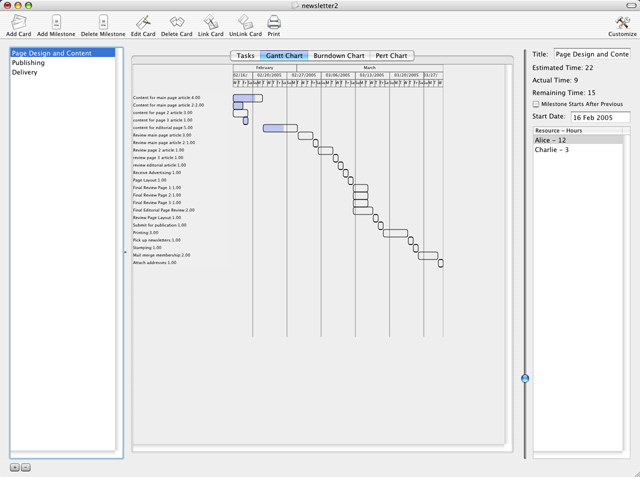
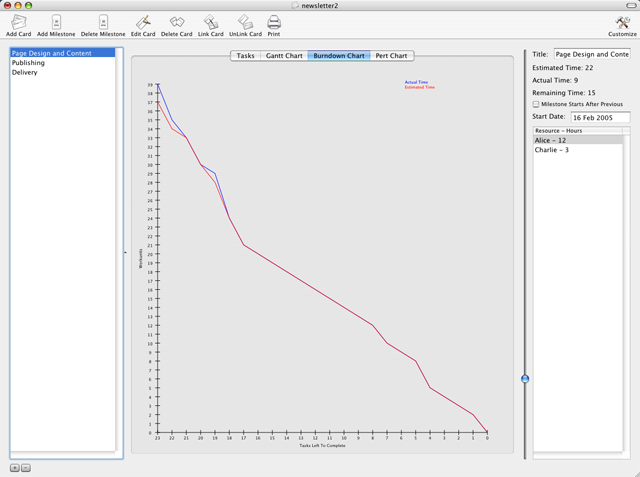
PowerCard includes Gantt charts, PERT charts, Burndown charts and other reporting mechanisms so you can clearly communicate the status of your project to whoever needs to know.


Supporting PowerCard Supports Us

In keeping with our corporate mission statement, we are donating 5% of our pre-tax net profits to charity.

Additionally, by supporting DeVoeSquared, you are supporting a software company that respects your rights. Read why.


BUY $59.95 | DOWNLOAD | Help | Contact Us